
Tailored solutions
Tailored signage solutions for notice boards, door cards and more.
Many signage problems have been solved before. A council needs its meeting agendas on a lobby kiosk, and an office needs a sign outside every meeting room. Wallboard keeps a catalogue of them. The services team designed each one, and the catalogue lists what each screen does and which systems can feed it. We set one up on your data.
Public notice boards
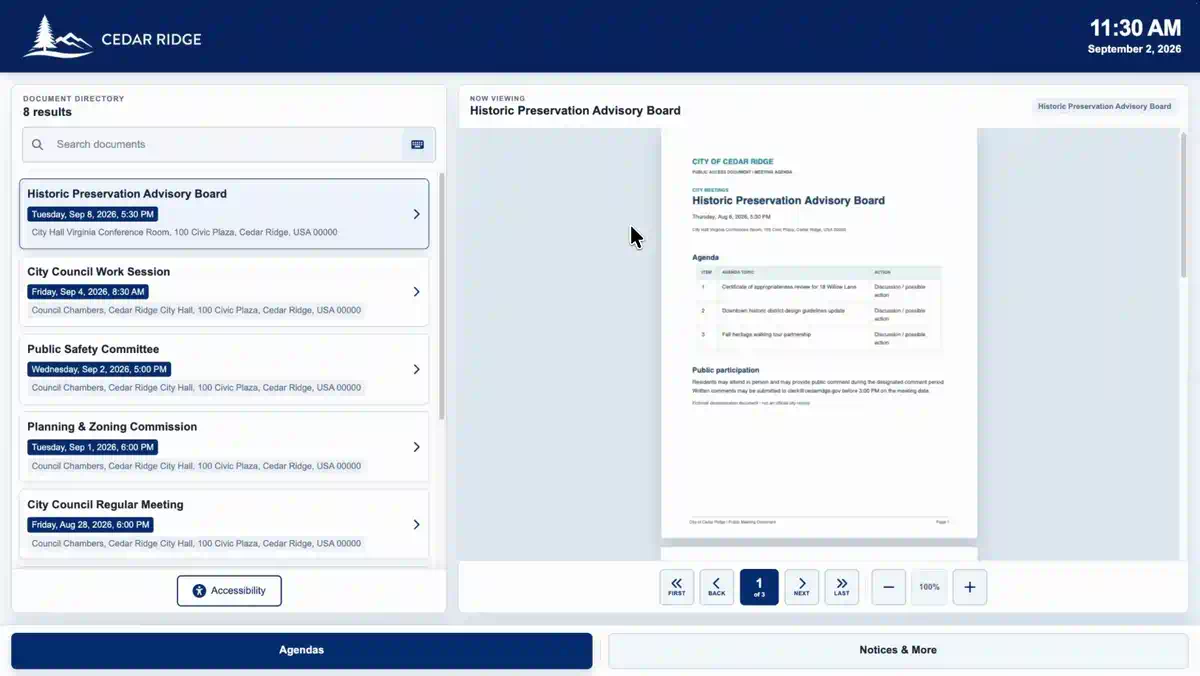
The paper bulletin board outside a council chamber goes digital. The Public Notice Board shows upcoming meetings with names, dates, times and locations, and visitors can search them by date, name or type. A tap opens the full agenda. Every day the board refreshes itself from the agenda platform your clerk already uses, such as OnBase or AgendaLink. Staff can still upload a notice by hand in Wallboard when it arrives from somewhere else, and a kiosk placed in a lobby window lets residents check what is coming up long after the building has closed for the night.
Meeting room door cards
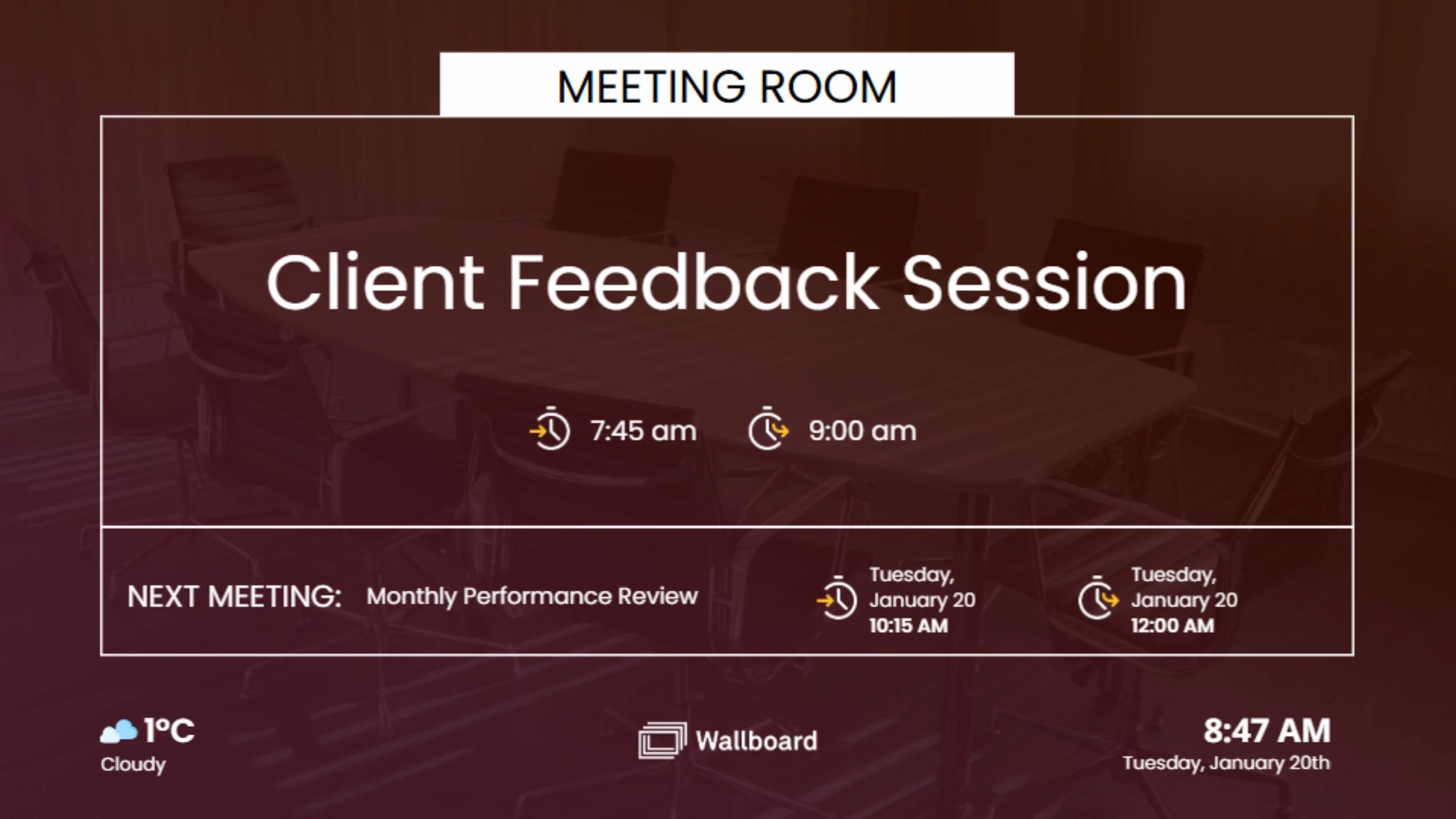
A small screen sits beside each door. It answers the question people ask most in an office. What is on in this room, and when does it end? The Meeting Room Door Card shows the current meeting and the next one. An empty room shows as free. You choose how long before a meeting it appears, and an optional touch list shows everything booked in that room for the whole day, from the first stand-up to the last client call. It reads Microsoft 365 or Google calendars, and enterprise systems such as Momentus, Accruent, Ad Astra, 25Live, Oracle Hospitality and Nexudus. New integrations beyond these take extra scoping time.
How it works
How a tailored solution gets built.
Consultation
We talk through your screens and your data.
Scope of work
A written scope says what the finished screens will do. It lists what is excluded and what we need from you.
Setup on your data
We connect the solution to your calendars, agenda platform, spreadsheet or Wallboard internal data sources.
Your team takes over
Your editors run it in Wallboard. They get the same training and support as every customer.
More solutions in the catalogue.
Document viewer
Public documents on a branded touch kiosk. Search, read and zoom.
Hall of fame
A searchable touch directory of inductees and honorees. Filter by sport, honor or year.
Event readerboard
Events across many rooms in one list. Syncs from calendar or event systems.
Stadium suite door card
Suite name and the group inside it, with optional sponsor zones that can carry advertising. Update per game or from a calendar.
History timeline
Archive photos and key dates on a swipeable timeline. Optional yearbooks by decade.
Donor wall
A dual-screen kiosk for donors, campaigns and impact stories, fed from a spreadsheet or internal data source.
Find the solution that fits your building.
Tell us where the screens go and which system holds the data. We'll match you to a catalogue solution or scope something new.