Internal news
SharePoint news posts appear on screens, newest first, each with a QR code back to the full story.

Corporate
Email is crowded and the intranet waits to be opened. The screens in your lobby and kitchens reach people without either. Wallboard turns them into one governed channel for company news, visitor welcome and live numbers, fed from the Microsoft and Google tools your teams already use.
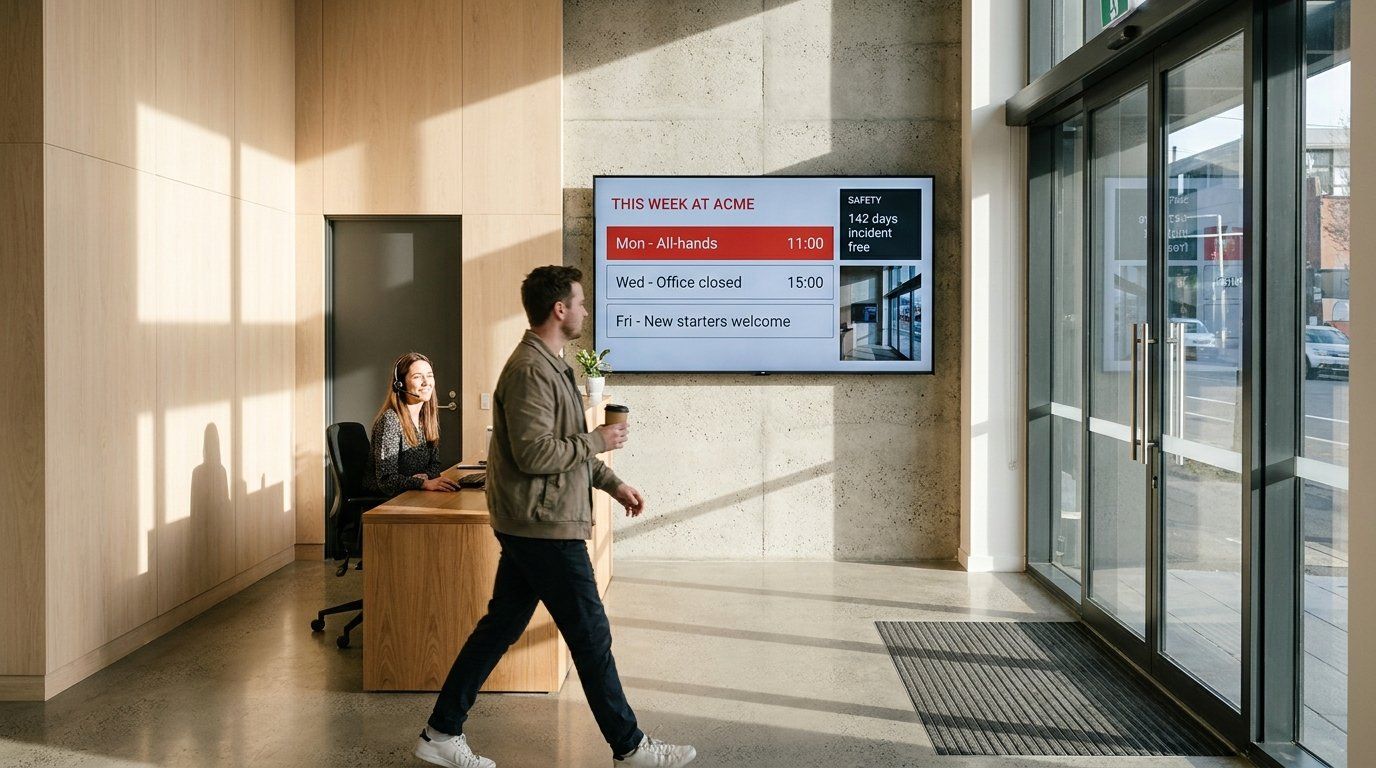






SharePoint news posts appear on screens, newest first, each with a QR code back to the full story.
Welcome visiting clients in reception, in your own brand colors and fonts.
Door signs for each meeting room.
Power BI reports and team targets on screens where people work, refreshed on a schedule.
Profiles and photos from Microsoft Active Directory, for team boards.
Video walls that combine several live data sources for teams watching operations around the clock.
Office screens often start as a TV and a USB stick in each building. That works until the brand changes or a message has to go out everywhere at once. With Wallboard, head office sets the templates, the brand kit and the rules once. Local teams update their own screens inside them, and IT signs everyone in through single sign-on with roles that decide what each person can change.
The content keeps itself current. News and dashboards come straight from the systems where they already live, so no one retypes the intranet onto a slide.
It holds up to IT review. Five user roles, teams, SAML sign-in and a choice of cloud or self-managed deployment are covered on our security and access controls pages.
SharePoint news and lists, Excel, calendars and Active Directory, connected as datasources.
Google Sheets, calendars and Drive folders that sync files onto screens.
Reports as an interactive widget or scheduled snapshot, with Proof of Play either way.
Android, Windows, BrightSign, Samsung, LG and ChromeOS players, plus video walls.
Yes. Each office can have its own team and screens. Staff edit text and images in templates head office has locked, so the layout and brand stay intact.
Yes. SharePoint news, SharePoint lists, Excel, Outlook calendars and Active Directory all connect as datasources, and sign-in can run through your identity provider.
Yes. Our meeting room door card is one of our tailored solutions. It reads Microsoft 365 or Google calendars and several room booking systems.
Yes. We can run a private instance for you. Or your own team can self-manage Wallboard in your cloud or data center.
See how head office and local teams share one set of screens, with IT in control.