Browse or search
Category buttons generated from the datasource, plus search with an on-screen keyboard and physical-keyboard support.

Document viewer
A touchscreen kiosk that helps citizens find and read public documents in one place. It turns a Wallboard internal datasource into a branded, searchable document directory, with large touch-friendly PDF reader controls.
Talk to the Custom Solutions team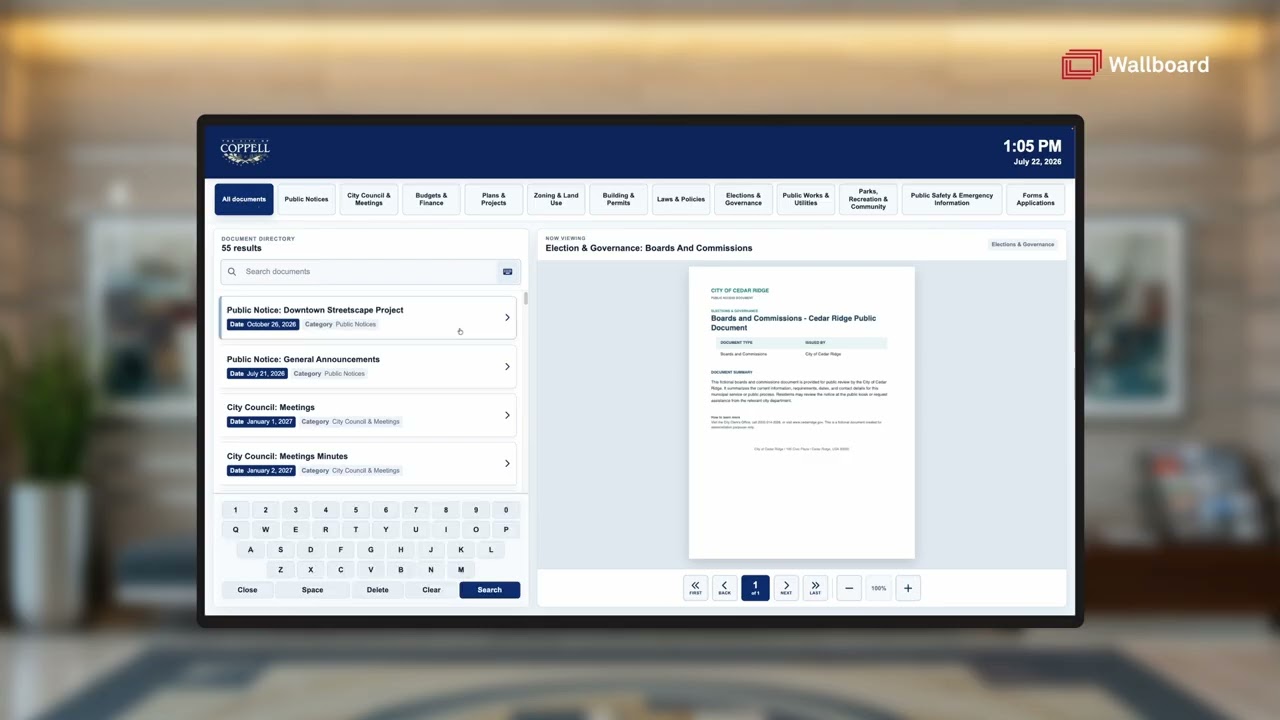 From the demo video
What it is
Built for public spaces where paper binders, bulletin boards and static web pages are not enough: city halls, libraries, recreation centres, public works facilities and council chambers.
Present agendas, public notices, budgets, permits, policies, plans and applications without asking visitors to navigate a complex website.
How it works
Key features
Category buttons generated from the datasource, plus search with an on-screen keyboard and physical-keyboard support.
Page navigation and zoom controls sized for a kiosk.
Map title, category, PDF, date and up to six metadata fields in the document list.
Portrait, landscape, compact and square layouts. Portrait opens the PDF above the list.
Optional start and end dates, with a configurable retention period for expired documents.
Optional larger, lower-positioned touch controls, plus a branded idle screensaver.
Who it is for
Typical customers.
Problems it solves.
Gallery
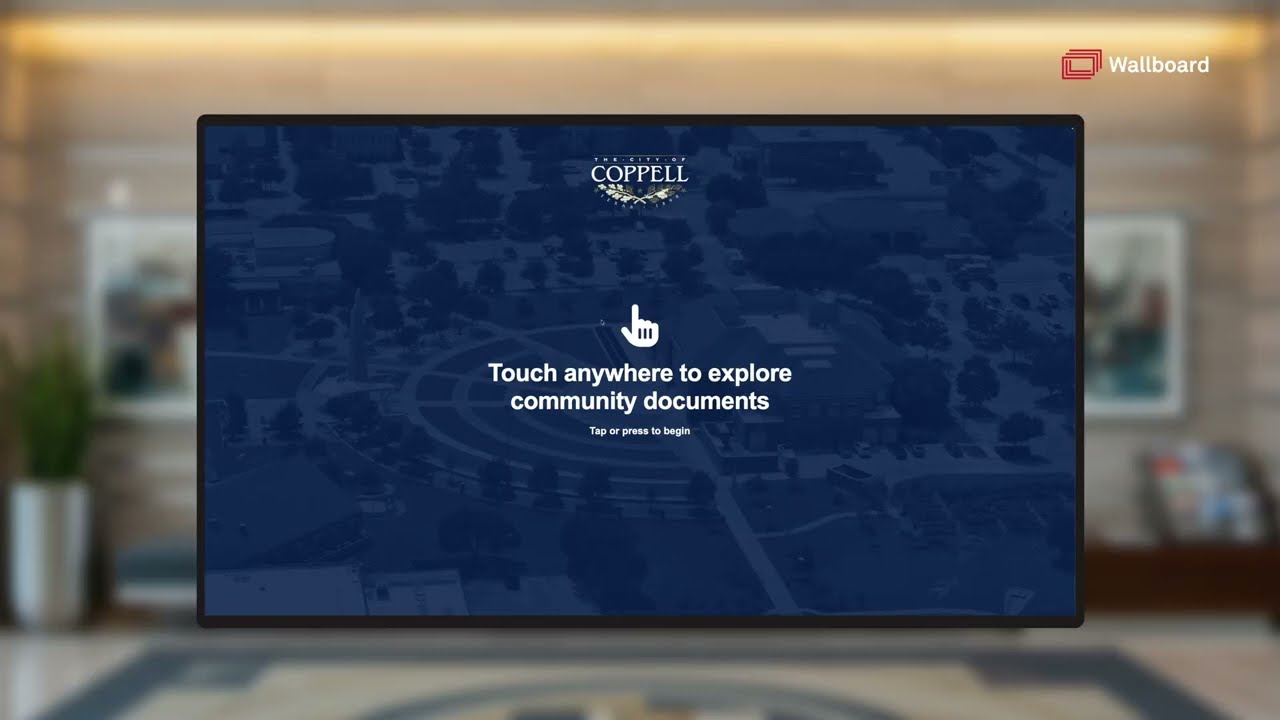
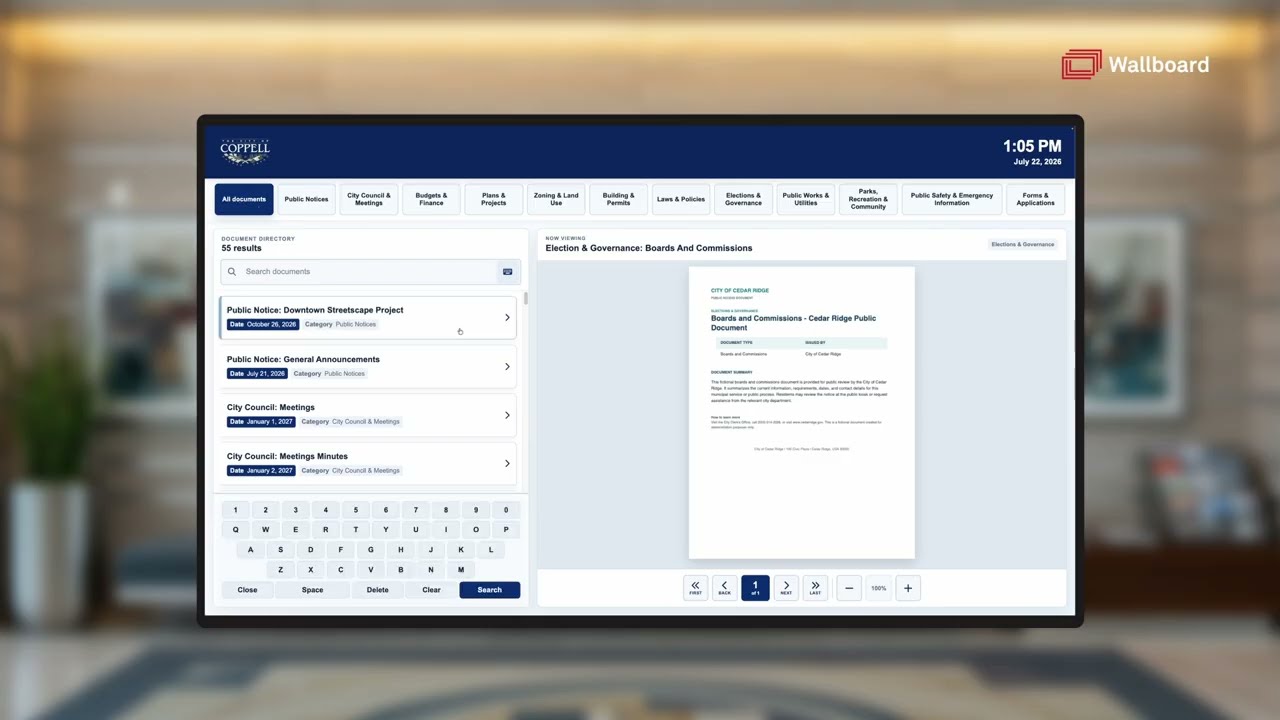
Stills from catalogue demo video https://youtu.be/BGWtZ2xQIGw (opens in a new tab)
Integrations
External document- and meeting-management integrations can feed the datasource, and are scoped separately.
A searchable touch directory of inductees and honourees. Filter by sport, honour or year.
Events across many rooms in one list. Syncs from calendar or event systems.
Suite name and the group inside it, with optional sponsor zones that can carry advertising. Update per game or from a calendar.
Our Custom Solutions team designs, builds and delivers it with you.