Wallboard 2.1 is on the way in Q1 2026, and it’s our biggest update since the launch of Wallboard 2.0.
In this post, we’ll walk through:
- The new features coming in 2.1
- How they help you and your customers
- One important change that requires action for partners and admins
- Resources to help you with the transition to 2.1
Ready? Let's go!
What's New in Wallboard 2.1
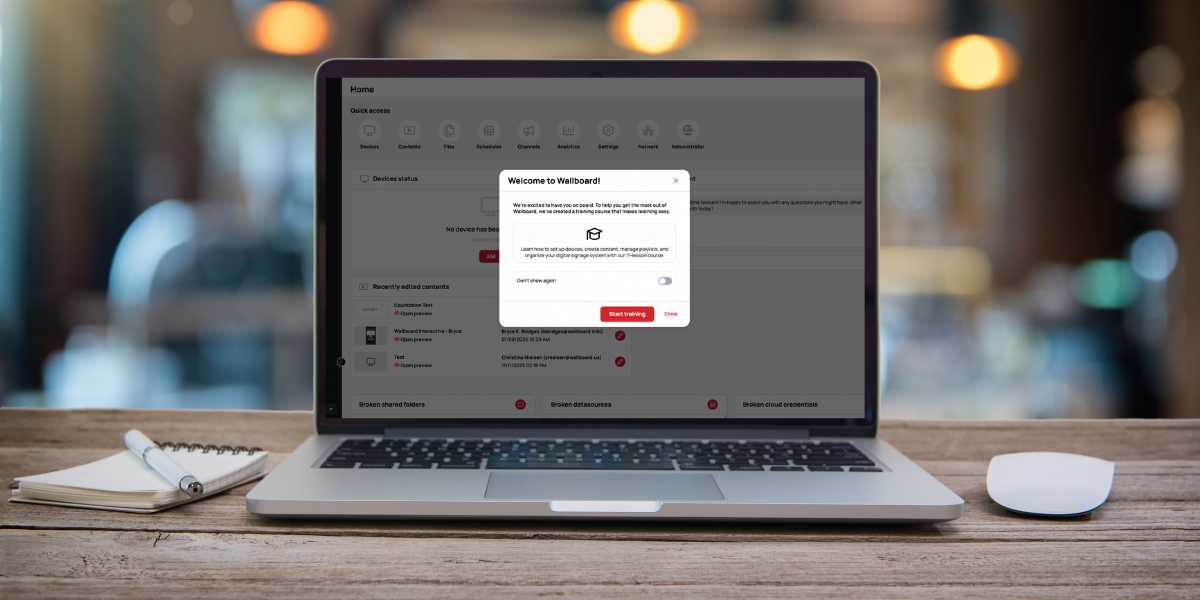
Keep Everyone in the Loop: “What’s New” Bulletin
We ship a lot of improvements and we know it’s hard to keep everyone up to date.
Starting in 2.1, users will see a “What’s New” popup and menu directly inside Wallboard. This will highlight:
- Major new features
- Important improvements
- Key announcements
Your end users get a clear feed of what’s new, and you don’t have to manually communicate every single update. It’s an easy way to help your customers get more value from Wallboard, faster.
Simpler Content Management: Slides + Playlists First
Today, Wallboard has contents, slides, and playlists. That flexibility is powerful, but it can also be confusing, especially for everyday users.
With 2.1, we’re simplifying things so that most users can live in just two concepts:
- Playlists – A sequence of full-screen images and videos (and now, slides too)
- Slides – Branded templates you design once, so users can safely edit only what they need (e.g., birthdays, welcome screens, announcements)
You’ll be able to:
- Embed Slides inside Slides
- Embed Playlists inside Slides
- Embed Channels inside Slides
This brings powerful embedding into the simpler slides + playlist ecosystem, without forcing users into the full Content editor. Interfaces can stay focused and easy to use, while still supporting complex layouts behind the scenes when needed.
The full Content editor is still there for advanced cases like interactive kiosks, sensor-based experiences, and complex apps - but for the 80% of use cases, slides + playlists become the primary way to work.
AI Arrives (finally!)
Wallboard 2.1 introduces our first AI-powered capabilities, designed to:
- Automate content creation from sources you already maintain
- Keep content live and relevant using data from the web
- Let AI tools work directly with Wallboard through prompting
MCP Beta (Model Context Protocol)
With MCP, Wallboard can connect to AI platforms like Claude, ChatGPT, Manus, or even your own in-house AI.
This unlocks workflows such as:
- Setting up entire Wallboard portals - including permissions, teams, and device registration - by simply providing a spreadsheet of information
- Updating playlists, importing new assets, and scheduling content using natural language prompts in your preferred AI platform
AI Web Scraper
Traditional web scrapers often break when a website layout changes. Our AI Web Scraper works differently:
- You describe in plain language what you want from a page
- The AI understands the page semantically
- It pulls out exactly the data you need
That data can then power your Wallboard contents, making them dynamic and automatically updated.
AI-Generated Datasources
Use AI to search and pull relevant info from the web and turn it into ready-to-use data for your screens. For example:
- Generate posts from local events
- Build feeds for universities, municipalities, or any organization that publishes public information
- Combine multiple datasources you already have and let AI cross-reference and format them for display
In other words, an AI copywriter that can also structure data the way your signage needs it.
New Integrations: Content That Reflects Real Activity
You no longer need third-party tools like RSS.app for basic social feeds.
With Wallboard 2.1, you can connect directly to:
- Facebook – Pull posts directly into digital signage
- Instagram – Display real-time visual content from your feeds
- SharePoint News – A highly requested integration for internal communications and company news on screens
These integrations help your screens stay in sync with what’s actually happening across your organization—social posts, internal news, and other updates, automatically.
Datasources Made Easier: Spreadsheet-Like Editing
Many customers already manage menus, directories, and event boards in Excel or Google Sheets. With 2.1, we’re bringing that familiar experience into Wallboard with major upgrades to Internal Datasources:
- Shareable Links – Send a URL to someone who doesn’t use Wallboard (e.g., a restaurant manager). They can update the data behind their content in a spreadsheet-like view, no login required.
- Dropdown Columns – Create predefined options like “Open / Closed” and use them to trigger automatic content changes.
- Scheduling Columns – Schedule specific rows (such as events) to appear only at the right time - perfect for event boards and time-sensitive content.
- Row & Structure Locking – Protect critical data and prevent accidental changes to the structure.
We’re also adding:
- Calendar merging – Combine multiple calendars into a single view.
- An improved datasource interface – Cleaner and easier to use.
- Data transformations – Advanced tools for formatting and querying data so it’s ready for the screen.
Built for Enterprise: Infrastructure & Security
Wallboard 2.1 introduces a Kubernetes-based deployment architecture for high availability and scalability, along with important security improvements.
Key security and identity features include:
- Self-Service SAML 2.0 SSO – Configure your own single sign-on in minutes.
- Organization-Wide MFA – Enforce two-factor authentication across all users.
- OAuth2 Authorization Code Flow – Enables secure use of MCP and other integrations.
- Enhanced Security Options – Including protections like reCAPTCHA, device fingerprinting, and passwordless login options.
For IT and security teams, this means Wallboard fits more easily into modern, enterprise environments - whether deployed as SaaS, on-prem, or in hybrid models.
⚠️ Important: Upcoming Breaking Change to the Legacy 1.0 UI ⚠️
We’ve maintained full backward compatibility with the legacy 1.0 UI throughout the rollout of Wallboard 2.0. With the enhanced security in 2.1, we are now tightening access to certain administrative functions to keep your environment properly protected.
What’s Changing
Some administrative functions in the 1.0 UI will now only be available in the modern 2.1 interface:
In the 1.0 UI, the following areas will be deprecated:
- Administrator panel for managing customers
- User management in the client’s users menu (adding/modifying users)
- 2FA configuration in the user’s profile settings
What This Means in Practice
- Partners with their own servers will be redirected to the 2.1 Administrator menu for client and user administration.
- All clients will be redirected to 2.1 for user management and 2FA configuration.
- The 1.0 Administrator menu, the Users menu inside client portals, and the User Profile menu will no longer handle these functions—they’ll only be accessible through the 2.1 interface.
What’s Not Changing
All other menus and features in Wallboard 1.0 will continue to work as they do today.
Our Recommendation
- Partners should begin using the 2.1 interface for daily work now, especially for user and client administration.
- Communicate the upcoming change to your end users and admins so they can familiarize themselves with the new interface before release.
- This will help ensure a smooth transition once 2.1 goes live.
Resources to Help You Transition
We’ve prepared several resources so partners and end users can get comfortable with the new interface before 2.1 launches.
For Partners with Their Own Servers
- Administrator Menu Guide – How to navigate the new administrator interface, create customer portals, and manage users.
For Partners
- 2.1 Self-Paced Training Program – Includes a dedicated section on user management.
For End Users
Share these knowledge base articles with your users:
- Users Menu Guide – How to use the 2.1 Users menu to add and manage users.
- 2FA Setup Guide – How to configure two-factor authentication in the new profile settings.
Questions or Next Steps?
If you’re a partner or customer and want help planning your move to 2.1, or just want to understand how these features fit your environment please reach out to:
- Your Wallboard contact, or
- Our Support team
They can help you plan timelines, training, and communication for your users.
.png)